


會議與聊天

 8 閱讀分鐘
是否為溝通零散而苦惱?瞭解將團隊凝聚在一起的關鍵因素
當團隊擁有集中、互聯的空間(例如 Zoom Chat),可以更有效地分享想法、採取行動並確保所有與會者進度一致。
瞭解使用 AI 轉錄會議和摘要資訊的益處,以便您可使用 Zoom My Notes 自動記錄筆記。
8 閱讀分鐘
發佈日期 2023年11月21日



Robin Bunevich 是 Zoom 的產品行銷經理。她負責監督 Zoom AI 的產品行銷與策略。在領導過三年的 Zoom 活動解決方案產品行銷,並推出 Zoom 發展最快產品之一的 Zoom Events 之後,她現在專注於幫助組織無縫地將 AI 融入其工作流程中。在來到 Zoom 之前,她在紐約時報執行現場活動的行銷,並在 2020 年 3 月幫助組織轉換到完全虛擬活動計畫方面發揮了重要的作用。在 Zoom,Robin 利用她超過 15 年的行銷和廣告經驗來提高 Zoom AI 解決方案的認識和採用。
If you’ve ever been assigned to take notes in a meeting, you know the struggles. You’re trying to write down what every person said accurately, but if your attention shifts for just a moment, you might miss an important detail. It’s harder to participate in the discussion fully if you’re occupied with listening and typing. Then after your meeting, you need to clean up your notes, capture crucial next steps, and send your summary to the rest of the team. All these tasks eat away at your ability to be productive and can stop collaboration in its tracks. But help is at hand: an AI note taker is just the tool you need.
Many people are turning to AI meeting apps and tools to automate note taking and summarize meeting information. It’s like having an AI assistant by your side during meetings, taking notes, and keeping track of discussion items so you can focus on the conversation. Not to mention, having a meeting summary with key points to refer back to makes writing that follow-up email much easier.
See how you can benefit from an AI note taking tool — and why it just might become your new best friend in meetings.
生成式 AI 模型最著名的功能可能是根據提示產生訊息,但它們也很擅長總結資訊。他們使用自然語言處理 (NLP) 將較長的訊息合成為包含文字重點的簡短摘要。
AI 智慧筆記助理會轉錄會議中的對話內容,並以轉錄文字作為文字輸入項目來生成會議摘要,說明討論的內容。市面上有許許多多的筆記應用程式還會根據該次通話的情境來識別其中的關鍵要點和行動要項。
有些 AI 智慧筆記應用程式需要完整的會議記錄才能生成會議摘要。如果您不想錄製會議內容,不妨尋找無需錄製的工具 — 例如 Zoom My Notes,便能在不錄製會議的情況下生成會議摘要。
Zoom Meetings 中的會議摘要提供了可靠、準確的 AI 生成回顧。使用 AI 進行智慧筆記的功能即將透過 My Notes 變得更強大,讓使用者能將智慧筆記助理帶至第三方、Zoom 和實體會議中。無論您是在辦公桌前還是在旅途中,My Notes 都能跨裝置使用,確保您不會錯過任何細節。
有了 My Notes,就可以在會議時記下自己的筆記,Zoom AI 功能會利用會議轉錄文字補充,讓您的會議摘要更加完整。
如果您擁有符合資格的付費 Zoom Workplace 方案,即可使用 Zoom 的 AI 功能(如果沒有符合資格的方案,則可立即升級)。您可能需要請您的 Zoom 管理員開啟某些功能。
想想您可以如何在會議前、會議期間和會議後使用 AI 功能記錄筆記:
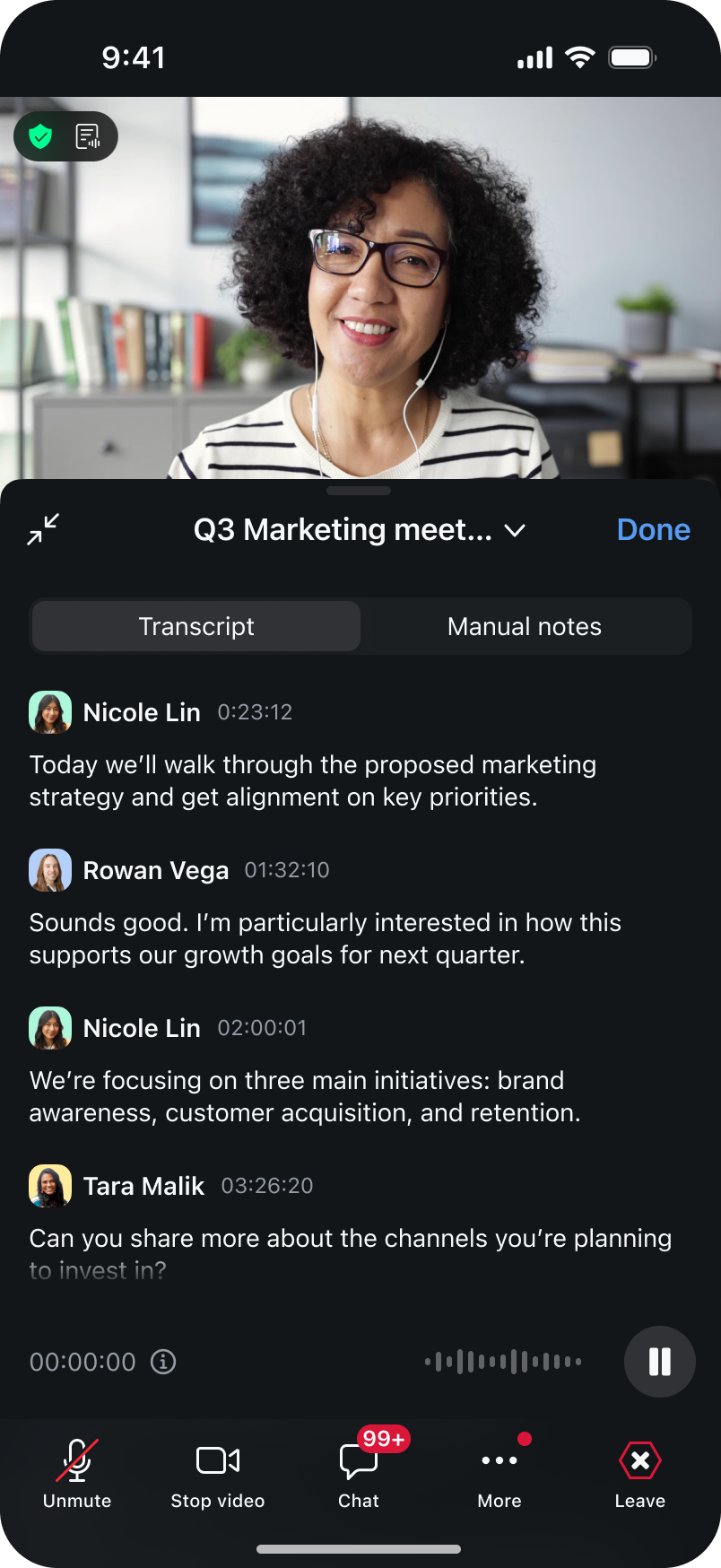
行動裝置上的 My Notes 將 AI 智慧筆記的功能延伸到桌面之外,讓您可以在工作場合捕捉並處理對話。
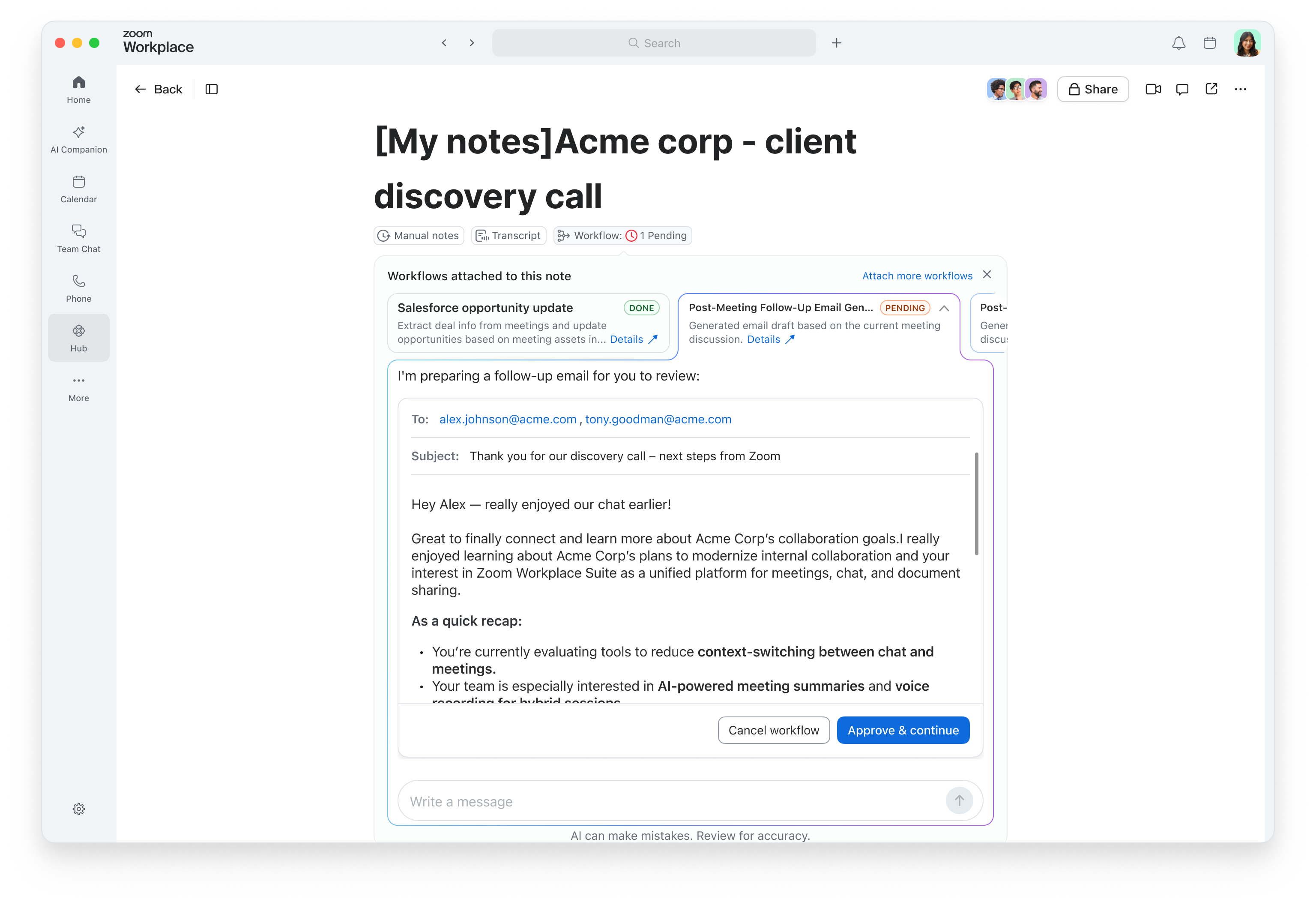
您的筆記可以為您進行追蹤時,為什麼停留在摘要階段?透過 My Notes 中的內建工作流程,您可以直接從會議筆記中自動觸發會議後任務,例如傳送電子郵件回顧、更新 CRM** 或建立待辦事項,同時細節仍然清晰。
8 閱讀分鐘
當團隊擁有集中、互聯的空間(例如 Zoom Chat),可以更有效地分享想法、採取行動並確保所有與會者進度一致。
 8 閱讀分鐘
深入瞭解 Zoom Chat,查看與 Slack 和 Microsoft Teams 等其他熱門聊天應用程序的不同之處。
 10 閱讀分鐘
取得我們精選的 Zoom Chat 使用實用技巧,幫助您隨時隨地順暢溝通、輕鬆管理複雜專案,並自動處理日常瑣事——一切都能在同一個多功能平台完成。









